Ascension One
- 4.7
- Rating
- 100.00K
- Installs
- Free
- Price

 Analysis by App-foxy
Managing healthcare often becomes a second job: remembering appointments, finding test results, checking messages, and working out where each request belongs. Ascension One is designed to bring those tasks together for people receiving care at Ascension sites. I approached it less like a general wellness app and more like a digital front door for an existing healthcare relationship. That distinction matters, because its value depends heavily on whether Ascension is already part of your care.
As a free medical app from Ascension Health, it is aimed at everyday care administration rather than exercise tracking, symptom entertainment, or emergency guidance. The app has a 4.7 average from around 4.3 thousand ratings, with more than 100 thousand installs, so it has attracted a meaningful user base without feeling like an obscure experiment. It is rated for Everyone, and the current release is version 4.4.0 for devices running Android 8.0 or later.
One place for the practical side of care
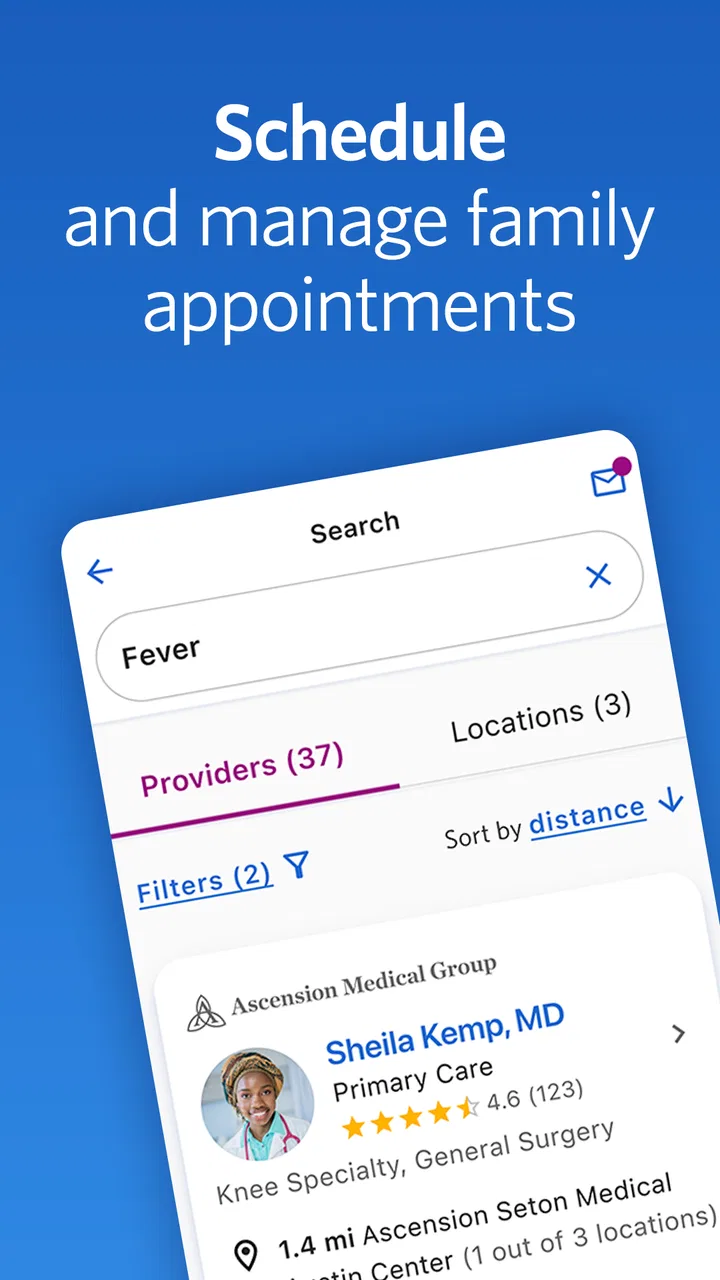
The central capability is straightforward: Ascension One gathers the administrative parts of care into one mobile experience. Instead of treating appointments, health information, and communication as separate chores, it gives patients a single place to start. That can make a bigger difference than it sounds, particularly when a person is dealing with several visits or trying to coordinate care for a family member.
You May Also Like

 Blood Strike: 2.5 Anniversary
Blood Strike’s Loadouts Turn Every Drop Into a Tactical Gamble
A close look at Blood Strike’s custom loadouts: how fast access to signature weapons reshapes its battle royale rhythm, rewards preparation, and narrows the gap between fights.

 Pandora - Music & Podcasts
Pandora’s Music Is Easy to Start, but Harder to Recover
Pandora’s strength is its low-effort path from a seed to a station. Its weak spot is how much confidence it asks you to place in connection, setup, and quiet recovery.

 8 Ball Pool
 Is Built on Rivalries, Rematches, and Routine
A close look at the rivalries, rematches, shared routines, and unanswered safety questions that turn a quick pool match into a persistent mobile community.

 Samsung Music
’s Quiet Strength Is Playing What You Already Own
Its reach comes less from spectacle than from dependable access to a personal library. That simplicity is both the app’s strongest retention engine and its ceiling.

 AccuWeather: Weather Radar
AccuWeather Review: A Quick, Clear Forecast for Everyday Decisions
For everyday plans, the best forecast is the one you can understand quickly. AccuWeather makes rain timing, radar, and local conditions easy to act on, with a few trade-offs.

 Hill Climb Racing
Why Hill Climb Racing Still Turns Crashes Into One More Run
A tiny car, a bumpy hill and one more upgrade: Hill Climb Racing keeps resurfacing because its simple chaos makes every near-miss feel personal.
More From Our News Desk



I like this focus because healthcare apps can easily become cluttered with features that look impressive but do not reduce the work involved in getting care. Ascension One is more useful when I think of it as a navigation tool. I open it with a particular task in mind: check what is coming up, review information after a visit, or handle a message without searching through old emails and paper instructions.
That also explains the app’s main limitation. It is not a universal medical organizer that replaces every health service on a phone. Its strongest role is connected to Ascension’s own care environment. If your doctors, clinics, or records are outside that system, the app may have limited practical value for you. I would not install it expecting a complete replacement for every portal, pharmacy app, insurance account, or emergency resource.
Why this capability matters during ordinary weeks
The useful change is not simply having more information on a screen. It is reducing the number of places I need to check. Healthcare tasks are often small, but they arrive at inconvenient times: a reminder while commuting, a question after an appointment, or a result I want to revisit before speaking with a clinician. A consolidated app can turn those moments from a search exercise into a quick check.
There is a quiet organizational benefit here too. When information is tied to the care provider rather than scattered across notes, screenshots, and messages, it is easier to return to the same source later. I still need to read carefully and make my own decisions about what requires follow-up, but I spend less effort remembering where something was stored.
What using it feels like in practice
My recommended approach is to use Ascension One as a task-based tool rather than browsing it aimlessly. Before a visit, I would open it to confirm the appointment information and gather questions while they are still fresh. Afterward, I would return to review the information associated with that encounter and keep track of anything that needs attention. That simple before-and-after habit is where the app has the clearest practical payoff.
The experience is most helpful when I already know which Ascension service I am trying to reach. I do not have to treat every screen as a destination. I can begin with the immediate need, complete that task, and close the app. For people who dislike managing healthcare through a desktop browser, the phone-based format makes those short interactions feel more approachable.
There is a trade-off in putting so much responsibility into one app: I have to keep my account access working and pay attention to notifications or updates. A consolidated tool is only convenient if I remember to use it. I would also avoid assuming that a message or displayed item is a substitute for urgent medical advice. For symptoms that need immediate attention, I would use the appropriate emergency or clinical channel rather than waiting for an app workflow.
A realistic appointment-day example
Imagine I have a morning appointment at an Ascension location and a busy afternoon afterward. Before leaving home, I check the app rather than searching through a calendar entry and separate provider messages. I use the available care information to remind myself what I wanted to ask. After the visit, I return to the same place to review the details that matter to me and identify whether I need to contact the care team.
The important advantage is continuity. The app is involved at both ends of the appointment, so I am less likely to rely on memory alone. If I am helping a parent or another relative keep track of care, that shared routine can also make the administrative side easier to manage, although I would still be careful about account access and personal information on a shared device.
This is not a dramatic transformation, and that is precisely why I find the use case believable. It saves small amounts of friction at several points instead of promising to solve healthcare altogether. For someone with infrequent care and no Ascension connection, that may not justify another app. For an active patient, those small reductions can add up.
Where it compares well with usual alternatives
The usual alternative is a web portal opened only when something goes wrong or when an appointment is approaching. A browser can provide access, but it often feels like a place I visit for one administrative task and then forget. A dedicated mobile app is better suited to quick checks and repeat use, especially when I want to handle a task away from a computer.
Another alternative is keeping everything in a personal notes app. That can be flexible, but it requires manual copying and does not provide the same connection to the healthcare organization. Notes are useful for questions and reminders; they are less useful as the main source for care-related information. I see Ascension One as complementary to personal notes, not a replacement for them.
General health apps are also different. They may be better for habits, exercise, food tracking, or broad health education, but those are not the reason I would choose this app. Ascension One makes more sense when the problem is coordinating care with Ascension rather than monitoring lifestyle goals. Choosing between them depends on the job I need done, not on which app has the longer feature list.
Small habits that make it more useful
First, I would open the app immediately after arranging care instead of waiting until the day of the appointment. That gives me time to notice whether the details match my own calendar and to prepare questions. Second, I would use a short personal checklist alongside it. The app can help me reach the relevant care information, while my checklist can capture practical items such as symptoms, medication questions, or changes I want to mention.
Third, I would make a habit of checking after a visit rather than assuming I will remember everything discussed. This is especially useful when a day includes multiple conversations or when I am tired. The app’s real strength is not just access; it is giving me a repeatable place to return to when the details of care are spread across several stages.
A fourth useful distinction is between information and action. Seeing something in the app does not automatically tell me how urgent it is or what decision to make. I still need to follow clinical instructions and contact the appropriate care team when clarification is needed. Treating the app as an organized channel, rather than an automated medical adviser, helps keep expectations realistic.
The friction I would plan for
The first friction is ecosystem dependence. Ascension One is most compelling for patients whose care is actually connected to Ascension sites. Someone whose primary doctor, specialists, and records are spread across unrelated organizations may end up maintaining several portals anyway. In that situation, a general health-record organizer or the individual provider portals may be more practical, even if they are less elegant.
The second is that convenience can make users expect every healthcare task to happen instantly. Some requests still depend on staff, appointment availability, clinical review, or the policies of a particular care setting. The app can centralize the interaction, but it cannot remove those real-world steps. I appreciate the app more when I see it as a cleaner route into care administration, not as a guarantee of immediate resolution.
The third is attention. Notifications and mobile access are helpful, but health information deserves a deliberate glance rather than a rushed tap. I would review important details in a quiet moment and avoid using a shared or unsecured phone casually. That is not a defect unique to this app; it is the natural responsibility that comes with placing personal healthcare information on a mobile device.
Who benefits most from it
I would recommend Ascension One most readily to people who regularly receive care through Ascension and want a simpler way to keep appointments and care-related tasks within reach. It should also appeal to anyone who finds web portals awkward, forgets where previous information was stored, or wants a consistent routine before and after appointments.
Caregivers may find the organizational approach useful when helping another person prepare for visits or keep track of follow-up. I would still make sure the account is used appropriately and that the person receiving care remains involved in decisions. The app can reduce administrative confusion, but it should not turn a caregiver into a substitute for the patient or clinician.
I would skip it if my healthcare is not connected to Ascension or if I am specifically looking for fitness tracking, nutrition coaching, medication reminders from multiple providers, or emergency diagnosis. Those needs call for different tools. Installing it simply because it is free would not be enough reason; its usefulness comes from the relationship with the healthcare network.
My final take on the mobile care workflow
Ascension One succeeds when I judge it by the problem it is trying to solve: making the routine side of Ascension care easier to reach and revisit. Its best feature is not novelty but concentration. I can build a simple workflow around appointments, information review, and follow-up instead of treating each step as a separate administrative project.
The app is not a universal answer for every patient, and its value will vary sharply depending on where I receive care. Still, for an Ascension patient who wants a phone-first alternative to repeatedly navigating a browser, I think it is worth trying. My honest recommendation is to install it with one concrete purpose, use it around the next appointment, and judge whether that repeated workflow genuinely saves time. If it does, the free price and broad Everyone rating make it an easy addition to a personal care routine; if it does not connect to the providers I actually use, another option will serve me better.
FAQs for Ascension One
01What is Ascension One, and what are its main features?
Ascension One is a strategic deck-building game available for both Android and iOS devices. It offers a rich single-player campaign alongside competitive multiplayer modes. Players can collect, upgrade, and strategize with a variety of cards. The game also features stunning artwork and regular updates that introduce new challenges and cards.
02Is Ascension One free to download and play?
Yes, Ascension One is free to download and play. However, it offers in-app purchases that allow players to buy additional card packs, cosmetic items, or unlock certain features. While these purchases can enhance the experience, they are not necessary to enjoy the core gameplay.
03What are the system requirements for Ascension One?
Ascension One requires iOS 11.0 or later for Apple devices and Android 5.1 or later for Android devices. It is optimized for both smartphones and tablets, ensuring a smooth gaming experience. Make sure your device has adequate storage space and a stable internet connection to fully enjoy the game.
04Does Ascension One support cross-platform play?
Yes, Ascension One supports cross-platform play. This means players on Android and iOS can compete against each other in multiplayer battles. The game seamlessly integrates player profiles across devices, allowing for a unified gaming experience regardless of the platform.
05How does the multiplayer mode work in Ascension One?
In Ascension One, the multiplayer mode allows players to engage in real-time battles against others worldwide. Players can join ranked matches to climb leaderboards or participate in friendly games with friends. The matchmaking system balances players according to skill level, ensuring fair and competitive gameplay.
Pros
- Intuitive user interface for easy navigation.
- Rich graphics enhance visual experience.
- Offers a wide variety of levels and challenges.
- Regular updates with new features.
- Multiplayer mode for social interaction.
Cons
- Occasional bugs can disrupt gameplay.
- Requires internet for full functionality.
- In-app purchases can be expensive.
- High battery consumption during use.
- Limited offline features available.

Ascension One
Gallery